
Home › Capabilities › Analyzer Integration
If it speaks ASTM or HL7, OpenELIS already talks to it
There is no per-instrument development project. OpenELIS ships generic ASTM and HL7 drivers that work with any conforming analyzer out of the box — and they're user-configurable, so connecting a new instrument is a mapping exercise your own team completes in an afternoon. Plus flat-file import for instruments that only export CSV or Excel.
Try the demo Analyzer plugins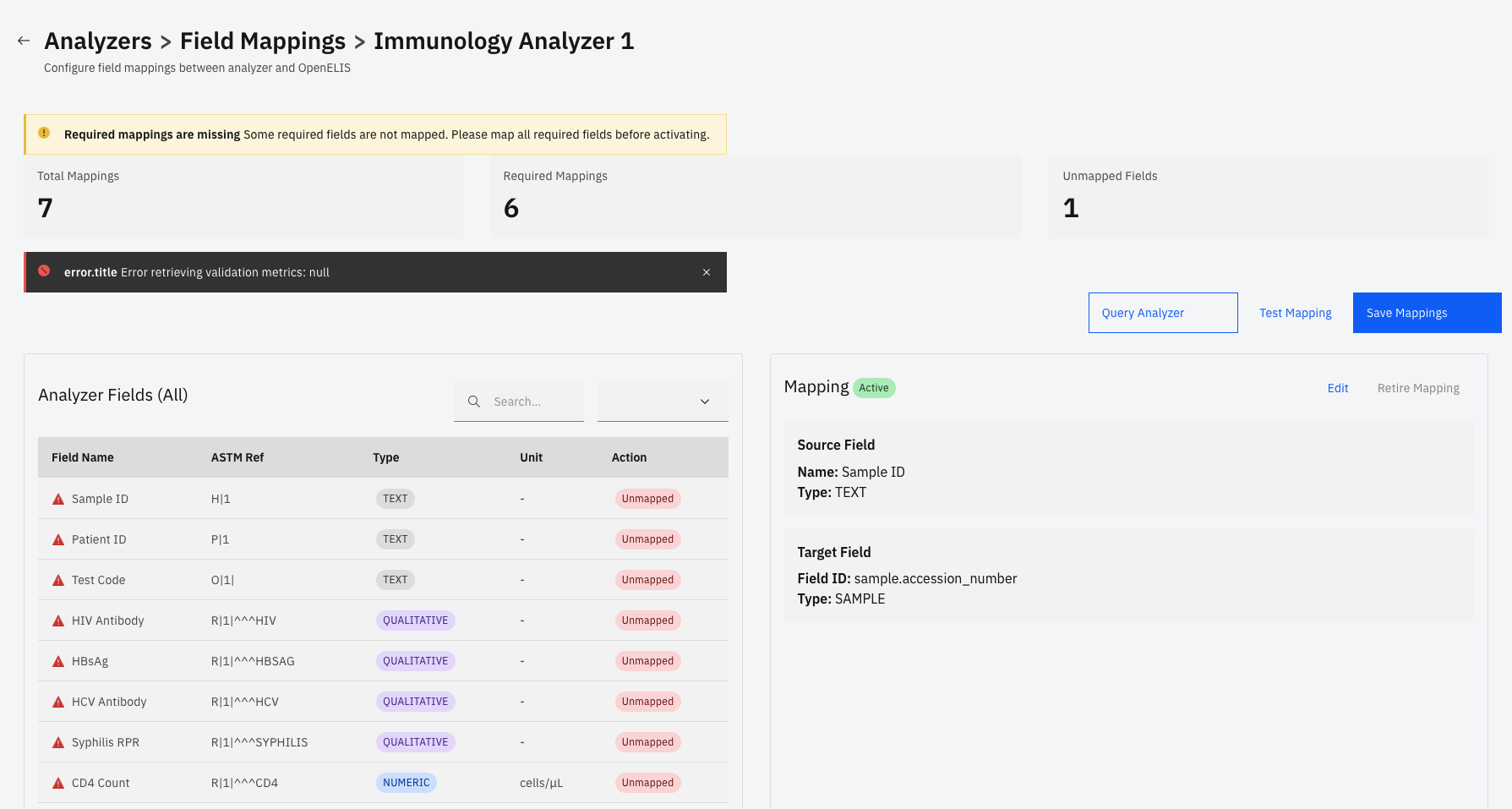
Why it matters
In most laboratory systems, "we bought a new analyzer" starts a procurement conversation with the software vendor — a quote, a timeline, a custom interface build. That's the single most common reason lab results still get retyped by hand in the meantime, and every retyped result is a potential patient-safety event.
OpenELIS removes the vendor from that loop entirely. Because the protocol drivers are generic rather than per-instrument, the work of adding an analyzer is configuration your own staff can do — and because it's open source, nobody can charge you for the privilege.
Three drivers cover essentially every analyzer
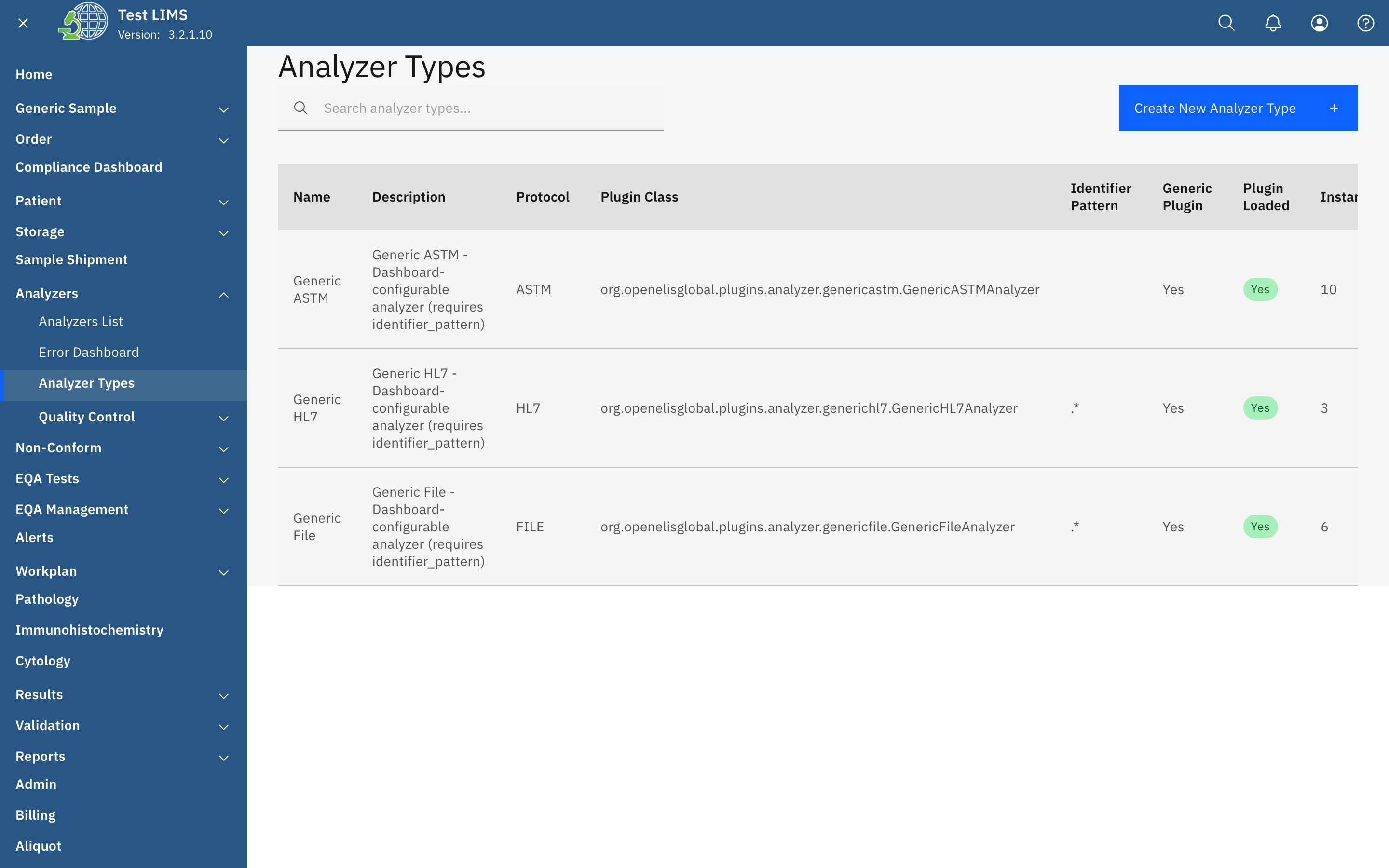
Rather than a bespoke integration per instrument, OpenELIS provides one user-configurable driver per protocol. Point it at your analyzer, give it a pattern to recognise the instrument by, map the test codes, and it's connected.
Generic ASTM
ASTM E1394 / E1381 (LIS2-A2) over TCP/IP — the standard that chemistry, hematology, coagulation, and microbiology instruments have spoken for thirty years. Any conforming analyzer connects through this driver.
Generic HL7
HL7 v2.x over MLLP — the hospital-integration standard. Modern analyzers and middleware that emit ORU result messages connect through this driver, no instrument-specific adapter required.
Generic File
CSV, Excel, and XML exports — for point-of-care devices, legacy instruments, and closed systems that produce a file but have no live interface at all. Upload or watch a folder.
Adding an analyzer is four fields and a mapping table
The whole process happens in Analyzer Administration, in the browser, by a user with the right role. No code, no plugin JAR to compile, no server restart, no ticket to a vendor.
- 1 · Name the instrument and pick its protocol. ASTM, HL7, or file — that choice selects the driver.
- 2 · Give it an identifier pattern. A simple text pattern (for example
GENEXPERT|CEPHEID) that lets the listener recognise which analyzer a message came from, so several instruments can share one port. - 3 · Map the test codes. Match the analyzer's own codes —
MTB,HGB,ALT— to your OpenELIS test definitions. This is the actual work, and it's a table. - 4 · Set it live. Save in Setup while you validate, then flip the status to Active. Results start flowing to the Validation queue with the analyzer name, lot, and timestamp attached.
Why it matters — "We already own that analyzer" is never a blocker, and neither is "we're buying a new one next year." The lab configures it. Nobody waits on a release, and nobody pays for an interface.
Profiles that already ship
You don't have to start from a blank form. OpenELIS ships ready-made profiles for instruments common in the labs we work with — pick one, adjust the test mappings to your menu, done. The list grows with every deployment, and it's a starting point, not a limit: an instrument not on this list connects the same way, it just needs its mapping table filled in.
ASTM
Cepheid GeneXpert · Sysmex XN Series (XN-L, XN-1000) · Mindray BA-88A · Horiba ABX Micros 60 · Horiba ABX Pentra 60 C+ · Stago STart 4
HL7
Mindray BS-200 · Mindray BS-300 · Mindray BS-360E · Mindray BC-5380 · Mindray BC2000 · Abbott Architect · Cepheid GeneXpert
File / export
Thermo QuantStudio QS5/QS7 · Bruker FluoroCycler XT · Thermo Multiskan FC · Tecan Infinite F50 · Wondfo Finecare FS-205 · DNA Technology DT-Prime · Cepheid GeneXpert (CSV)
Across chemistry, hematology, molecular, immunology, and coagulation — from eleven manufacturers. Additional instruments have integration specifications written and are working through validation.
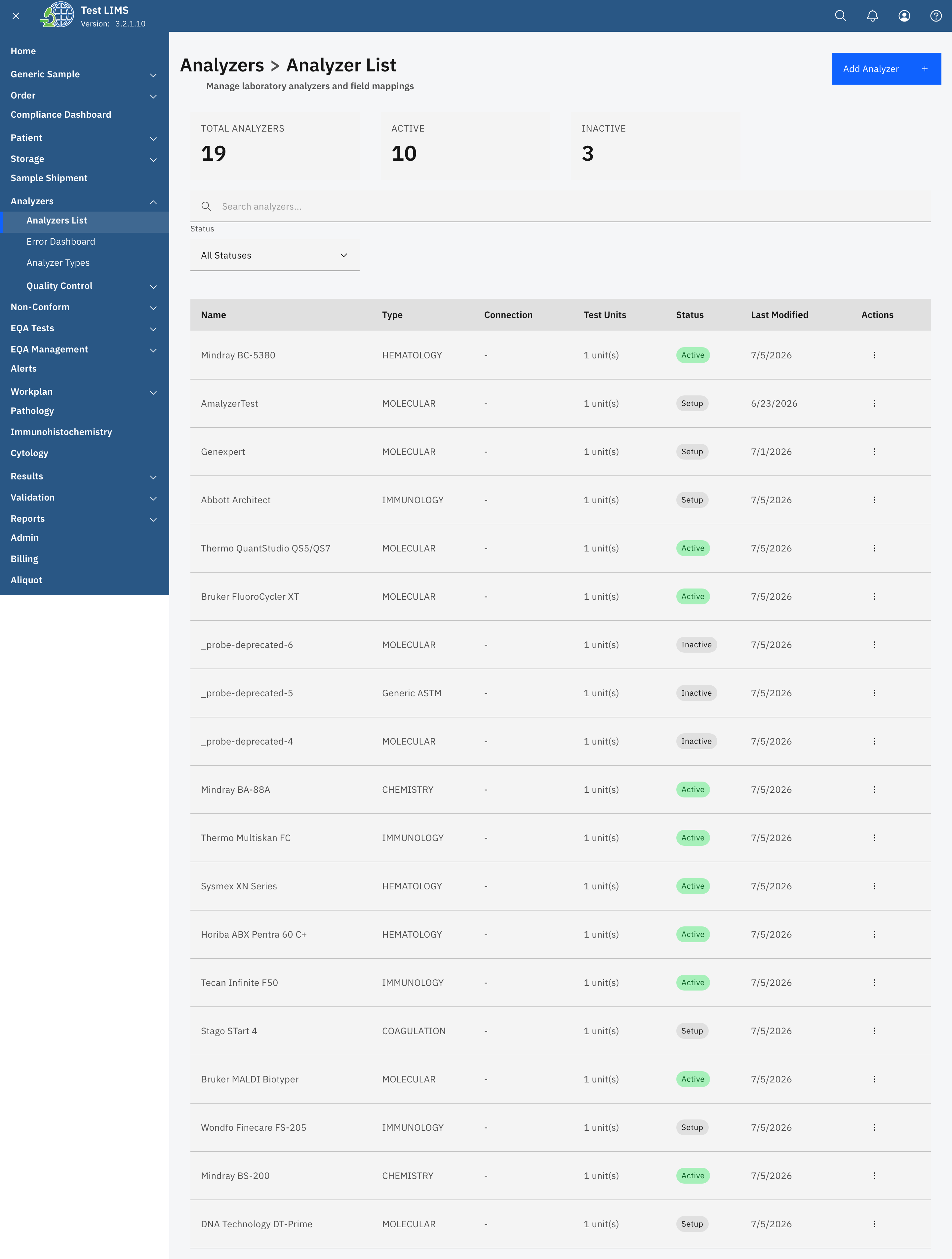
The analyzer list in a running instance — instruments across five clinical domains, each with protocol, status, and test-unit mapping.
Validated against real instrument output
A protocol specification is not the same as a working connection. Several OpenELIS analyzer profiles have been validated against real export files and live message captures from production laboratories — not just written from vendor documentation.
The Thermo QuantStudio profile, for example, was validated at a Madagascar reference laboratory against three real export files covering 188 patients. The Tecan Infinite F50, Thermo Multiskan FC, and Bruker FluoroCycler XT profiles were likewise built and checked against genuine exports from that site — including the messy realities vendor docs omit, like locale-specific decimal separators and lab-built spreadsheet templates.
Why it matters — The gap between "conforms to the standard" and "works with your actual instrument, in your actual lab, in your locale" is where integration projects die. Profiles proven against production output close it.
And once it's connected
Bidirectional
Send pending worklists down to the analyzer and receive results back automatically. Orders download, results upload, no manual step in between.
Quality control built in
Instrument QC status, Levey-Jennings charts, and Westgard-rule monitoring surface alongside the connection — control samples route to QC review, not the patient queue.
Errors surfaced, not buried
A dedicated error dashboard shows failed messages and parse problems per instrument, so a silently disconnected analyzer doesn't become a week of missing results.
Have an instrument you need connected?
Bring the analyzer, a vendor interface document, or even just a sample export file — that's usually all it takes to get a profile working.
Talk to us Try the demo